

Blog / Guide
GuideDon’t Buy a Vendor Management System Without These 9 Must-Have Features

Cost It Right
Jun 5, 2025
Listen to this article
AI narration • 11:09 listen
0:00 / 11:09
One year from now, your supply chain will be faster, leaner, and more resilient to disruptions, not because your vendors have changed, but because your visibility has. All vendor documents are up to date. Compliance alerts are automated. Risk is flagged before it becomes reality. Supplier performance is no longer a mystery. Your team spends less time putting out fires and more time optimizing partnerships. And it didn’t happen because you hired more people or changed all your suppliers. It happened because you implemented the right vendor management system for manufacturing business. If you are in the market for a VMS, this isn’t just a financial decision; it’s about setting up your supply chain for scalability, resilience, and control. In this guide, we will break down the 9 must-have features a top vendor management solution for manufacturers should offer so you can confidently choose and avoid settling for a system that looks good on paper but falls short when it counts.
Top 9 Features of Vendor Management Software for Manufacturers
1. Automatic Vendor Profile Updates
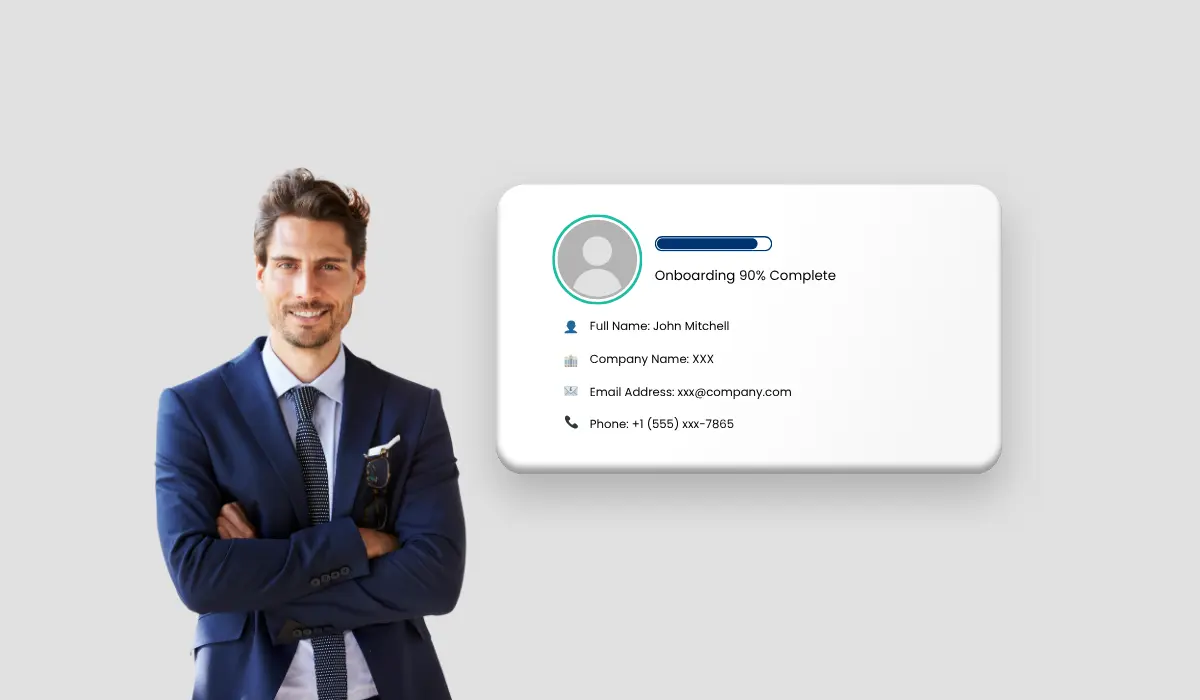
In many teams, vendor profiles live in static lists or shared drives: details go out of date, documents get missed, and your team spends more time hunting down information than using it. Automate it with the best vendor management software. It pulls data from your contracts, supplier websites, and public records, extracts key fields like addresses, expiry dates, and contact names, then updates each vendor record automatically. Every profile stays current without manual edits, so you always see the latest information at a glance. Why is this feature important?
It prevents holdups caused by outdated or incomplete supplier information
It eliminates the need for tedious manual data entry and regular profile checks
It prevents errors from expired certifications or incorrect contact details
Functionalities to check
Ability to scan PDFs, images, and email attachments for key data
Custom field mappings that match your vendor schema
Alerts for missing documents or about-to-expire items
2. Real-Time Performance Monitoring
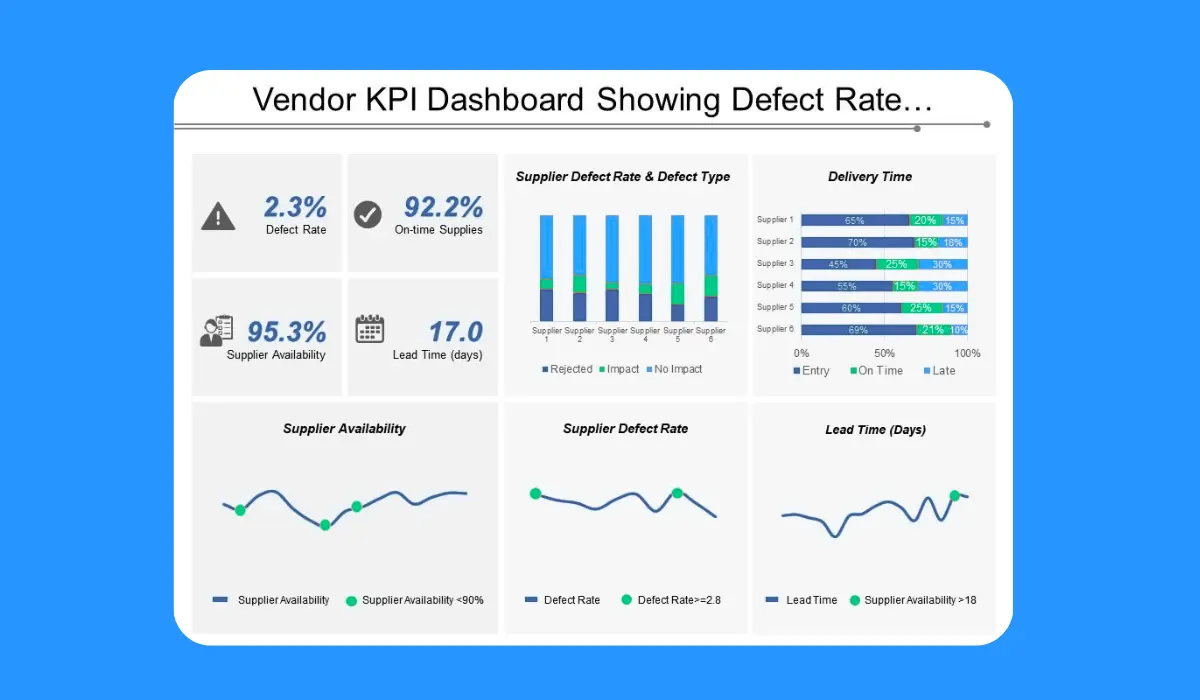
You can’t improve what you can’t measure. And when supplier performance data is updated quarterly or not at all, issues stay hidden until they start affecting production. With real-time performance tracking features in vendor management software, you get a live view of each vendor's performance. Delivery timelines, defect rates, order accuracy, response times, it’s all measured, updated, and visible as it happens. Instead of reacting to problems after they’ve caused delays, your team can spot patterns early: a supplier consistently missing deadlines or a sudden spike in rejected parts. The data is already there when needed, not updated weeks later in a report. Why is this feature important?
To identify underperforming vendors before issues escalate
For fact-based supplier reviews and corrective actions
To build stronger, data-backed relationships
What to check for:
Custom KPIs by vendor or category (e.g., OTIF, defect rates, service response time)
Visual dashboards with filtering by date, site, or region
Integration with ERP or procurement systems for automatic data fetching
Ability to add notes or flag issues directly from the dashboard
3. Automated Compliance Tracking

Vendor compliance isn’t something you want to discover missing during an audit or worse, after a regulatory issue. The top vendor management system ensures full visibility into compliance and makes it manageable. It tracks certifications, insurance documents, safety audits, and regulatory filings. More importantly, it reminds you and your vendors before anything expires or falls out of scope. The system handles everything instead of relying on spreadsheets or email reminders. Your team gets alerts ahead of renewal deadlines. Vendors can upload necessary documents through the portal without worrying about security. And if something is missing, it's flagged before it becomes a problem. Why this feature?
It reduces manual tracking and missed deadlines
It keeps your business audit-ready year-round
It lowers risk of non-compliance penalties or production stops
What to check for:
Expiry alerts for documents tied to each vendor
Auto-notifications to vendors and internal teams
Configurable compliance requirements by vendor type or location
Audit trails that show who uploaded what and when
4. Risk Assessment and Flagging
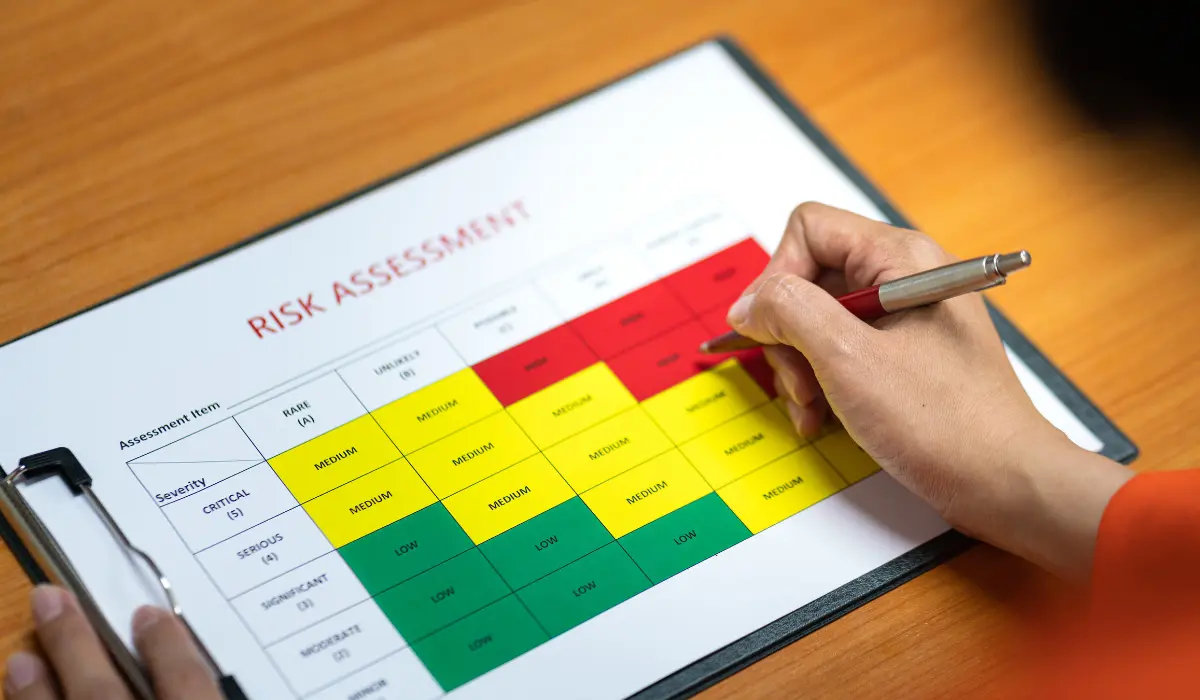
Not all vendor issues appear in the numbers, until it’s too late. A vendor might still deliver on time while quietly facing financial trouble, losing key staff, or struggling with supply shortages. A strong VMS helps you see the early signs. It gathers risk indicators across multiple data points: missed deadlines, failed audits, frequent complaints, geopolitical concerns, and, if integrated, even news mentions. These aren’t red flags you must hunt for; the system highlights them. Instead of relying on gut feelings or last-minute escalations, your team will get a clearer picture of vendor stability and risk exposure in time to take action. Why is risk assessment a must-have feature in your vendor management tool?
The feature prevents surprises that could halt production
It also improves sourcing decisions with a broader risk context
It helps prioritize backup vendors or renegotiation early
What to check for:
Risk scoring system based on performance and compliance history
Customizable risk thresholds by vendor type or product category
Ability to tag vendors as high-risk or under review
Integration with financial or third-party risk data (optional but valuable)
Also Read: Beyond Features: How to Choose the Best Vendor Data Management Software
5. On-Demand Vendor Reporting
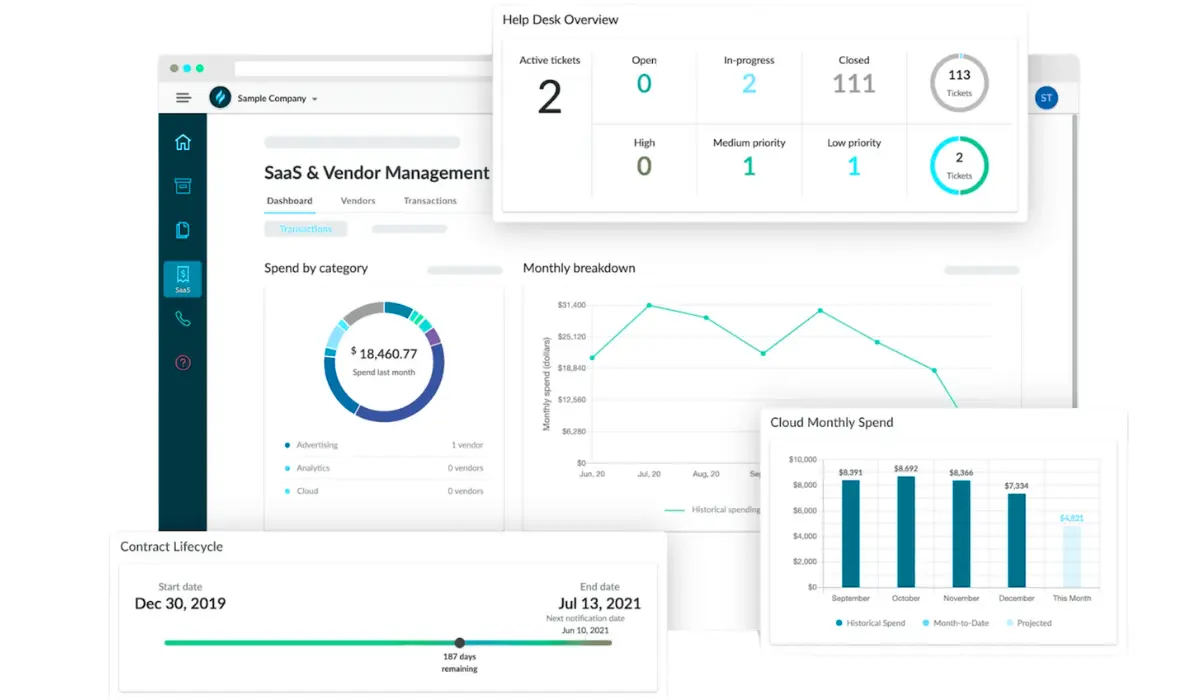
Static dashboards and scheduled exports leave stakeholders digging for answers and not everyone wants to sift through charts. On-demand narrative reports let anyone ask a question like “Which vendors missed SLAs last quarter?” and get instant summary with visual charts. It’s like having a colleague deliver both the story and the visuals in one package, so decisions can happen right away without waiting for the next reporting cycle. Why on-demand reports are important for you:
To remove the need for BI specialists or preset templates
To speed up decision-making with instant, contextual insights
To get clear, actionable narratives
What to check for:
Ready-made queries for compliance, performance, and spend
Inline chart creation with export options (PDF, CSV, shareable link)
Access controls so sensitive data only reaches authorized users
6. Supplier Onboarding Automation

Onboarding new suppliers often means filling in rigid forms, swapping dozens of emails, and following up on missing files. An interactive guide turns that into a simple conversation: vendors answer questions in plain language, see which documents are required, and get instant feedback on any gaps before they hit submit. The result is a smooth process where your team only reviews complete, accurate submissions and suppliers appreciate the clear, step-by-step instructions. Why to automate supplier onboarding?
To reduce back-and-forth reminders and forgotten attachments
To minimize errors from misinterpreted fields or instructions
To give consistent, user-friendly onboarding experience
What to check for:
Question flows that adjust based on previous answers
Immediate checks for document format and expiry dates
Seamless transfer of approved data into your main systems
7. Automated Vendor Communication Summaries
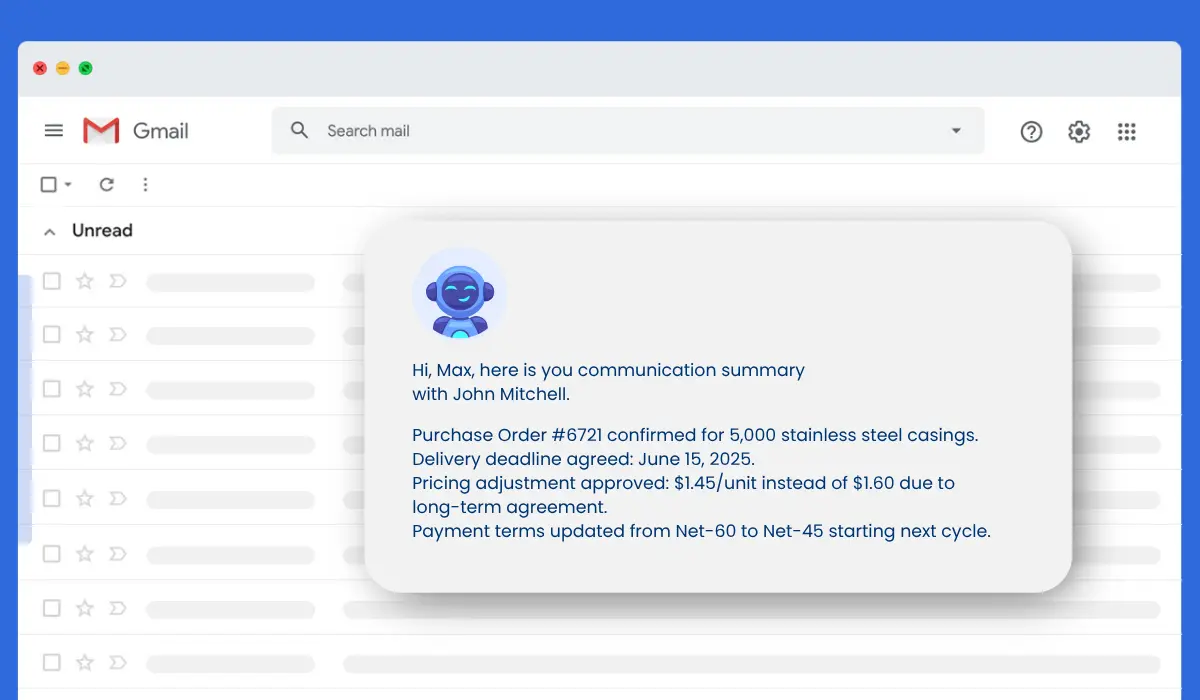
Vendor discussions happen over email, chat, and calls, and finding the key points afterwards can feel like searching for a needle in a haystack. A natural language chatbot embedded in your VMS can read through all messages and transcripts, then pull out decisions, action items, and due dates in a concise brief. Instead of scrolling endlessly, your team reads one summary and knows exactly what happened, what needs follow-up, and any warning signs in supplier responses. How AI-powered summaries help you:
Saves hours hunting through multiple communication channels
Guarantees that every action item and deadline is captured and tracked
Highlights tense or problematic exchanges before they escalate
What to check for:
Support for emails, chat logs, and meeting transcripts
Clear tagging of tasks with owners and deadlines
Flags when supplier sentiment shifts negative
Also Read: How a Vendor Management System Simplifies Procurement
8. Multi-Site and Multi-Team Access Control

In a manufacturing environment, different teams require different information but not everyone should have access to everything. Your procurement team might need full vendor histories, while plant managers only need access to approved supplier lists. Finance might need contract terms and payment records but not operational notes. A VMS with solid access control makes this easy. You can assign roles, restrict views, and tailor permissions based on team, location, or function. This keeps information organized, reduces noise, and improves data security, especially when multiple sites and departments are involved. What this feature solves:
Prevents unauthorized access to sensitive data
Reduces confusion from irrelevant or cluttered views
Supports clear accountability by role and function
What to check for:
Role-based access permissions
Site-specific views and user controls
Audit logs showing who accessed or who made the changes
Easy onboarding and offboarding for users as teams change
9. Integration with Existing Systems

A vendor management system that doesn’t connect to your existing tools will quickly become another silo, adding work instead of reducing it. Whether you use ERP software, procurement platforms, quality management tools, or finance systems, your VMS should integrate smoothly. That means vendor data flows automatically between purchase orders, invoices, performance metrics, and compliance updates, without requiring duplicate entries or constant manual syncing. This kind of connectivity keeps everything aligned. Teams work from a consistent data set, and you avoid errors from mismatched records or outdated information. Why you need this feature:
To cut down on duplicate data entry and manual updates
To ensure accurate, up-to-date vendor records across systems
To save time by automating routine workflows and document sharing
What to check for:
Pre-built integrations with SAP, Oracle, Microsoft Dynamics, etc.
API access for custom connections
Sync capabilities for vendor records, contracts, and performance data
Support for single sign-on (SSO) and user directory sync
Make a Choice That Supports Long-Term Clarity and Control
Vendor relationships are central to manufacturing performance but managing them well requires more than emails, spreadsheets, and guesswork. The right vendor management system gives you structure, visibility, and confidence. Everything we have covered from centralized vendor profile, real-time performance tracking, compliance controls, to AI-powered summaries, are not just features. They are safeguards against risk and tools for better operational decisions. Cost It Right is worth a close look if you are looking for a system that delivers in all nine areas without forcing you into rigid workflows or hidden costs. It’s built with real manufacturing needs in mind: accuracy, accountability, and ease of use across teams.
Related Articles

May 28, 2025 • 7 min read
Why Procurement Automation Software Needs Built-In RFQ & Onboarding
Discover why procurement automation software must include built-in RFQ and onboarding to streamline sourcing, boost efficiency, and enhance vendor management.
May 28, 2026 • 9 min read
Why Unstructured Documents Are Breaking Manufacturing Supply Chains
Unstructured data in manufacturing creates procurement delays, costing errors, inventory mismatches, and supply chain inefficiencies. Learn how manufacturers can solve document chaos.
Apr 28, 2026 • 4 min read
Should-Cost Analysis in Procurement: Methodology, Model and Worked Example
Should-cost analysis in procurement helps manufacturers estimate the true cost of a product before evaluating supplier quotations. However, many procurement tea