

Blog / Automotive
AutomotiveWhat Is Cost Modeling Software and How Does It Work?

Cost It Right
Nov 13, 2026
Listen to this article
AI narration • 18:06 listen
0:00 / 18:06
Cost modeling software builds a structured model of what a part or product should cost to make, from material, process time, machine and labour rates, tooling, overheads and profit. Unlike cost estimating, which predicts a price, it shows what drives the cost and lets you test changes. Cost It Right does this across 24+ technologies.
Teams use it for four reasons:
Transparent cost drivers: see exactly what moves the cost, from material and cycle time to rates and scrap.
What-if scenarios: test a change in design, volume, material price or supplier before you commit.
Consistency and speed: one repeatable method with controlled rates, instead of a different spreadsheet for every person.
Negotiation leverage: compare the modeled should-cost with the supplier quote, line by line.
This guide is for discrete manufacturing: part and product costing, supplier negotiation and quoting. If you work in construction or software projects, the tools are different. Below you will find a worked example in rupees, the main types of models and tools, and how they differ from estimating.
What is a cost model in manufacturing?
A cost model is a structured calculation of what a part should cost to make. It starts from the drawing and bill of materials, adds the processes the part goes through, and prices each one with a rate.
A simple model has five blocks:
Material: gross weight, scrap and the material rate.
Process: cycle time on each machine times the machine hour rate.
Labour and setup: operator time and setup cost spread over the batch.
Tooling and overheads: tool cost spread over its life, plus a percentage for overheads.
Profit and packing: a margin and the cost of packing and freight.
The total is the should-cost. A supplier quote is what the supplier wants to charge. The gap between the two is where negotiation starts.

What is the difference between cost modeling and cost estimating?
Cost estimating predicts a number, often quickly and from limited data. Cost modeling builds the structure behind that number, so you can see why it is what it is and what would change it. An estimate answers "how much". A model also answers "why" and "what if".
Cost estimating | Cost modeling | |
|---|---|---|
Main output | A price or range | A line-by-line cost with its drivers |
Inputs visible and editable | Often not | Yes |
What-if testing | Limited | Core feature |
Use in negotiation | Weak, hard to defend | Strong, every line can be discussed |
Best stage | Early, when data is thin | Sourcing, quoting and final costing |
Most teams need both. Estimates get a quote out fast. A model backs it up when the number has to hold.
How does cost modeling software work? A worked example
A cost model works by pricing each step of making the part, adding the steps up, and then comparing the total with the quote. Here is a turned steel component, finished weight 0.40 kg, cut from 0.55 kg of bar, in a batch of 5,000 pieces.
Cost element | Working | Rs per piece |
|---|---|---|
Material (gross) | 0.55 kg x Rs 72 per kg | 39.60 |
Scrap credit | 0.15 kg x Rs 28 per kg | -4.20 |
CNC turning | 90 s at Rs 900 per hour | 22.50 |
Drilling | 30 s at Rs 500 per hour | 4.17 |
Labour | 120 s at Rs 240 per hour | 8.00 |
Setup | Rs 2,000 over 5,000 pieces | 0.40 |
Heat treatment | Rate per piece | 6.00 |
Overheads | 10% of the above (76.47) | 7.65 |
Fixtures | Rs 25,000 over 1,00,000 pieces | 0.25 |
Packing | Rate per piece | 1.50 |
Profit | 8% of 85.87 | 6.87 |
Should-cost | 92.74 |
The supplier quotes Rs 108.00. That is Rs 15.26 above the should-cost, or 16.5%. The model tells the buyer exactly which lines to ask about: the machine rate, the cycle time, the scrap recovery or the overhead percentage.
What can you do with a cost model once it is built?
You can change one input and see the effect on the whole price. This is the part a one-off sheet cannot do well, and it is where cost modeling software earns its place.
Take the same part and raise the steel rate by 8%, from Rs 72 to Rs 77.76 per kg. Net material goes from Rs 35.40 to Rs 38.57. After overheads and profit, the piece price moves from Rs 92.74 to Rs 96.50, a rise of Rs 3.76 or 4.1%.
Now cut the batch from 5,000 to 2,500 pieces. Setup per piece doubles from Rs 0.40 to Rs 0.80, and the piece price rises by about Rs 0.48.
With a model in software you run these checks in seconds, and you can run them across every part that uses the same steel. That is how a buyer prepares for a price revision before the supplier asks for one.
Why build the cost model before you send the RFQ?
Building the model before the RFQ lets you set a target price, spot unrealistic quotes and ask the right questions, instead of reacting to whatever comes back. A buyer who knows the should-cost is negotiating on facts.
In practice it changes three things:
You set the target. The should-cost becomes the price you aim for, not a guess.
You read quotes faster. Each quote can be set against the model, so a high machine rate or an optimistic scrap credit stands out.
You negotiate on lines, not on the total. Asking a supplier to explain a cycle time is easier to win than asking for a lower price.
Cost It Right links the should-cost to RFQ management, with a vendor portal and reverse auction, so the model and the quotes sit in the same place.

What are the types of cost models?
There are four common ways to build a cost model. The right one depends on how much data you have and how accurate you need to be.
Type | How it works | Data needed | Best for |
|---|---|---|---|
Bottom-up (should-cost) | Prices every material, process and overhead line | Drawing, BOM, process routing, rates | Negotiation, supplier quote checks, final costing |
Parametric | Uses a formula linking cost to size, weight or feature count | Past parts with known costs | Early estimates when no drawing exists |
Analogous | Starts from a similar past part and adjusts for differences | One close reference part | Quick quotes for variants of known parts |
Top-down | Splits a target price across components | A target price or budget | Design-to-cost and target setting |
Most teams use more than one. A parametric or analogous estimate gets a quote out fast. A bottom-up model backs it up when the number has to stand in a negotiation. Good software lets you hold all of them against the same part and see how they compare.
For a deeper look at how each element is built, read our guides on manufacturing cost breakdown and machine hour rate calculation.
What does cost modeling software do?
Cost modeling software holds the model, the rates and the history in one place, so every costing follows the same method and nobody rebuilds it from scratch. A spreadsheet can do the sums for one part. Software is what keeps hundreds of parts consistent.
In practice, a good tool does eight jobs:
Part and product costing: cost a single part, or roll up a full bill of materials to the finished product.
Should-cost and cost breakup: show every cost element so a quote can be checked line by line.
Rate masters: keep machine hour rates, labour, overhead and profit rates in one controlled place.
Raw material indexation: link material cost to a commodity index such as LME and refresh it.
Simulation and impact analysis: test a change in material price, volume or design and see the effect on the part and the finished goods.
Version history: keep every revision of a cost and compare any two.
Approvals and audit trail: route a cost through multi-level approval and keep a record of who changed what.
Reports and exports: produce costing sheets and variance reports that finance and buyers can use.
Cost It Right covers all eight in one platform, and connects to ERP, PLM and CAD so the bill of materials and prices flow in without re-entry.
Want to see a cost model built on your own part? Book a Cost It Right demo and we will cost one of your parts live. See how Cost It Right does this on the product overview page, or request a demo from the same page.
What types of cost modeling software are there? Examples
There are four kinds of tool, and most manufacturers end up using more than one over time.
Kind of tool | Strength | Limit |
|---|---|---|
Spreadsheets | Flexible, free, familiar | Formulas drift, no version history, hard to share rates |
ERP costing module | Holds standard and actual costs | Built for accounting, not for should-cost or supplier quote checks |
Standalone should-cost tool | Strong on supplier negotiation and quote checks | Often narrow in scope, separate from RFQ and approvals |
Cost management platform | Costing, simulation, RFQ, approvals and reports together | Needs rates and master data set up once |
A few tools that appear often when manufacturers search for this, with how each describes itself on its own pages:
Tool | How it describes itself | Often used for |
|---|---|---|
aPriori | Cost engineering software that analyses 3D CAD geometry to cost parts and assemblies | Part and assembly costing at design and sourcing stages |
GEP Quantum Intelligence | AI-native should-cost modeling linked to market price indices | Procurement should-cost and negotiation |
DFMA (Boothroyd Dewhurst) | Process-based cost models with editable assumptions, usable from concept stage | Design for manufacture and assembly, should-cost |
Tset | Product costing software with automated bottom-up costing, cloud-based | Standard costing across teams |
Cost It Right | Cost management for manufacturers: should-cost, part and product costing for 24+ technologies, graphical bill of materials, simulation and impact analysis, bulk price amendments, raw material indexation to LME, RFQ management with vendor portal and reverse auction, multi-level approvals with audit trail, ERP, PLM and CAD integration, on-premise option | Buyers, costing engineers, quoting teams and finance on one platform |
The descriptions summarise each company's public pages as of November 2026. Confirm current features with each vendor before you decide.
Cost modeling software or Excel: which should you use?
Excel is fine for one-off costings by one person. Software is better once several people cost many parts and the numbers have to match. The change usually comes when rates, versions or approvals start to go wrong.
Situation | Excel | Cost modeling software |
|---|---|---|
One person, a few parts | Works | More than you need |
Many parts, many costing engineers | Formulas drift between files | One method for everyone |
Rate changes | Edit every file by hand | Change the master, costs update |
Version control | File names like final_v3_new | Every version stored and comparable |
What-if analysis | Copy the sheet and edit | Run it in seconds on any part |
Audit and approvals | Email trail | Built-in workflow and log |
New team member | Learns each sheet separately | Learns one tool |
If you spend more time maintaining sheets than reading the results, it is time to switch. Our guide on auto component costing shows how this plays out for component makers.
Who uses cost modeling software in a manufacturing company?
Four teams use it, and each asks a different question of the same model.
Team | The question they ask | What they use |
|---|---|---|
Procurement and buyers | Is this quote fair? | Should-cost, cost breakup, quote comparison, RFQ and reverse auction |
Cost engineering | What should this part cost to make? | Part and product costing, rate masters, graphical BOM |
Sales and quoting | What price can we quote and keep our margin? | Costing sheets, margin view, version history |
Finance and management | Why did cost move this quarter? | Variance reports, simulation, approvals and audit trail |
When all four work from one model, the argument shifts from whose number is right to what to do about the gap.

How do you know if a cost modeling tool is right for you?
Test it on your own hardest part, not on a vendor sample. Four quick checks tell you most of what you need:
Can you see every cost line and change any input? If the number comes out of a black box, it will not hold in a negotiation.
Do you control the rate masters? Machine, labour and overhead rates should be yours to set, with a change flowing through to existing costs.
Does it cover your processes? Check machining, sheet metal, forging, casting, moulding and assembly, not just one.
Does it connect to your systems? Bill of materials and prices should come from ERP, PLM and CAD without re-typing.
For the full buying checklist, with what to ask a vendor on each point, read our guide on what to look for when choosing manufacturing costing software. For the supplier price-check side, see should cost analysis software.
Where does Cost It Right fit?
Cost It Right is built for every cost modeling job in this guide, not one of them. It brings should-cost analysis, part and product costing for 24+ technologies, graphical bill of materials, cost simulation and impact analysis, bulk price amendments, raw material indexation to LME, RFQ management with vendor portal and reverse auction, tool amortisation tracking, multi-level approvals with audit trail, reports and dashboards, and ERP, PLM and CAD integration, with an on-premise option, in one platform.
That means a buyer can check a quote, a costing engineer can build the model, and finance can review the variance, all from the same cost.
Ready to see cost modeling on your own parts? Book a Cost It Right demo and bring a drawing and a supplier quote. We will build the model and show the gap, live. Request the demo.
FAQs
What is cost modeling software?
Cost modeling software builds a bottom-up cost model for a part or product from its material, process time, machine and labour rates, tooling, overheads and profit. It gives a should-cost you can compare with a supplier quote, test with what-if changes, and reuse across parts. Cost It Right does this for 24+ technologies.
What is the difference between cost modeling and cost estimation?
Cost estimation is the act of arriving at a number, often quickly and from limited data. Cost modeling builds a structured, line-by-line model behind that number, so every input can be seen and changed. Estimates answer how much. Models answer why, and what changes if an input moves.
What is a should-cost model?
A should-cost model is a bottom-up calculation of what a part should cost to make, using its material, processes, rates, tooling, overheads and a fair profit. Buyers compare it with a supplier quote to find which cost lines are high and what to challenge in the negotiation.
Can I build a cost model in Excel?
Yes, for a single part or a small team. Excel struggles when many people cost many parts, because formulas drift between files, rate changes are made by hand, and versions multiply. Software keeps one method, one set of rates and a full version history for everyone.
Which cost modeling method is most accurate?
Bottom-up modeling is the most accurate when you have a drawing, bill of materials and process routing, because it prices every line. Parametric and analogous methods are faster but less precise, so teams use them for early estimates and use bottom-up models when a number must hold in a negotiation.
What data do I need to start cost modeling?
You need the drawing, bill of materials, process routing with cycle times, and your rate masters for machines, labour, overheads and profit. Material prices, scrap rates, batch sizes and tooling cost complete the model. Cost It Right can take bill of materials and part data from ERP, PLM and CAD.
How do I choose cost modeling software?
Test it on your own hardest part. Check that every cost line is visible and editable, that you control the rate masters, that it covers your processes, and that it connects to your ERP, PLM and CAD. For a full buying checklist.
How does cost modeling help in supplier negotiation?
It shows the buyer which cost lines in a quote are above the model, such as machine rate, cycle time, scrap recovery or overhead percentage. Negotiation then moves from a general request for a lower price to specific questions backed by numbers, which suppliers find harder to dismiss.
How often should cost models be updated?
Update them whenever a major input changes, and review them on a fixed schedule, such as quarterly. Raw material prices move most often, so link them to an index such as LME. Machine, labour and overhead rates should be reviewed at least once a year or after any big change.
Does Cost It Right work as cost modeling software?
Yes. Cost It Right covers should-cost analysis, part and product costing for 24+ technologies, graphical bill of materials, simulation and impact analysis, bulk price amendments, raw material indexation, RFQ management, approvals with an audit trail, reports, and ERP, PLM and CAD integration, with an on-premise option.
What are examples of cost modeling software for manufacturing?
Examples that manufacturers often look at include aPriori, GEP Quantum Intelligence, DFMA, Tset and Cost It Right. They differ in focus: some centre on CAD-based part costing, some on procurement should-cost, and some, like Cost It Right, combine costing, simulation, RFQ and approvals on one platform.
Related Articles
Apr 28, 2026 • 4 min read
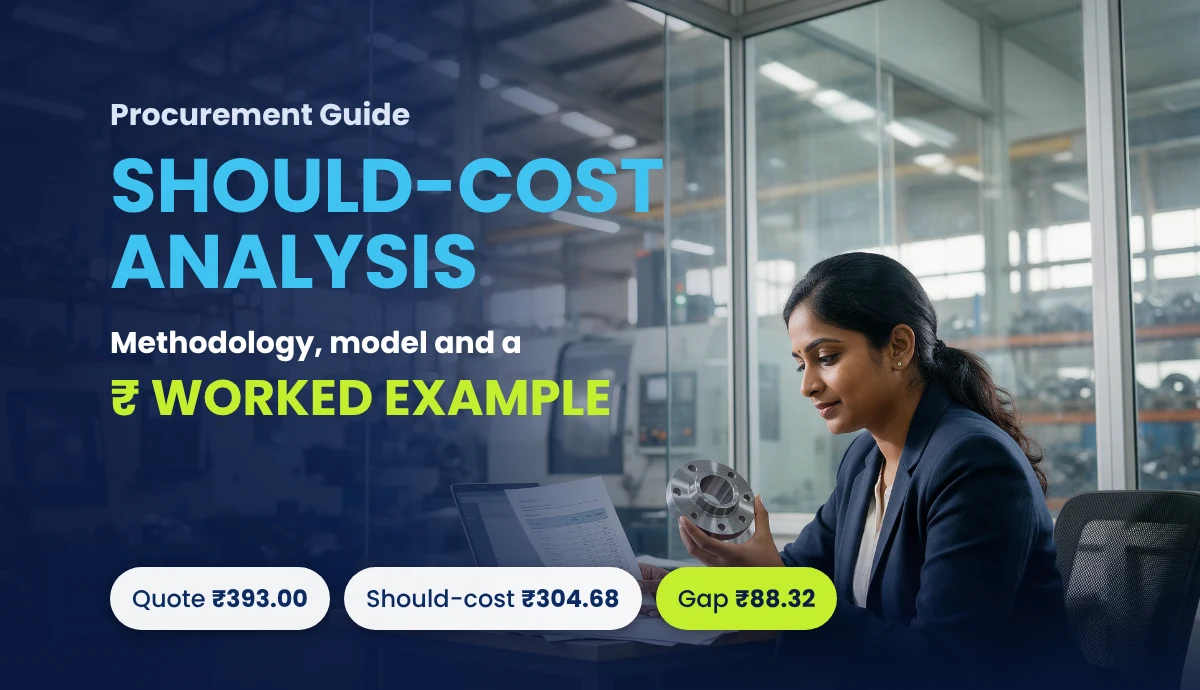
Should-Cost Analysis in Procurement: Methodology, Model and Worked Example
Should-cost analysis in procurement helps manufacturers estimate the true cost of a product before evaluating supplier quotations. However, many procurement tea

Mar 11, 2026 • 6 min read
How Procurement Teams Use Should Cost Models to Negotiate Better Prices
Learn how procurement teams use should cost models to analyze supplier pricing, improve cost transparency, and negotiate better prices in manufacturing and automotive supply chains.

Apr 25, 2025 • 5 min read
Supplier Quotation Management Software : The Upgrade You Didn't Know You Needed
Automotive procurement is transformed with supplier quotation management software, reducing costs, speeding up decisions, and improving supplier relationships.